CRM.designer
The configuration tool to configure CRM.pad to your needs is CRM.designer.
This tool is used to configure all web-based Aurea CRM applications.
Aurea software supplies default configuration called update.tablet. This configuration is the base for your configurations. The default configuration is read-only, you cannot change it. You only have access to sub-configurations that you must create.
If you are not used to working with CRM.designer, see the Using CRM.designer chapter in the Aurea CRM web Administrator guide.
To call the update.tablet configuration:
- Start CRM.designer. Aurea CRM web's default configuration is displayed on CRM.designer's main page
- Select
CRM.padfrom the Application drop-down list. The default configuration calledupdate.tabletis automatically selected from the Configuration drop-down list: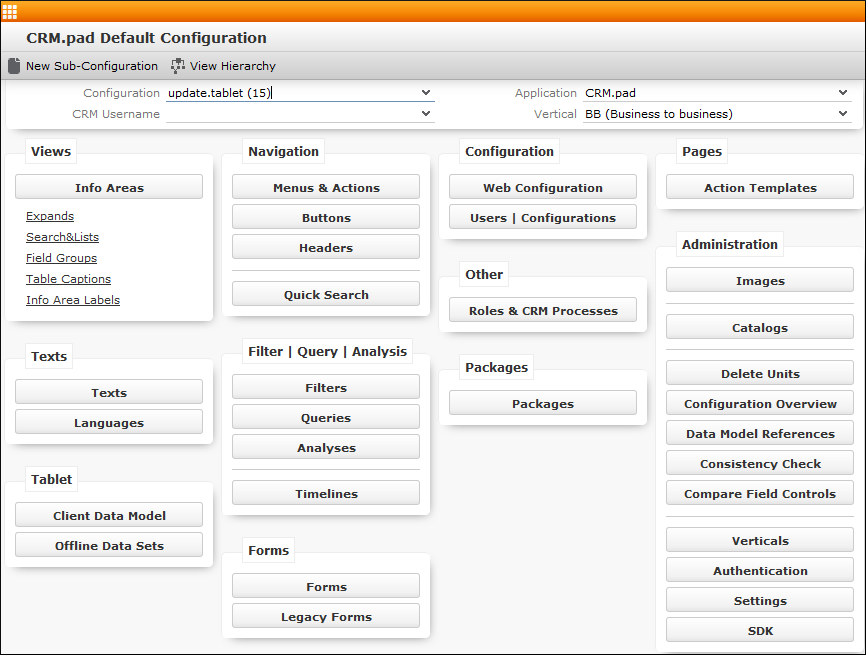
The available options are displayed.
Note: You must create a sub-configuration, as the default configuration is read-only, see Users and Configurations.