Watchlist and Notifications
Aurea CRM users can set up their personal watchlist of items to be notified about changes.
For example, an accounts manager might be interested in knowing when a change occurs with his key accounts and he can add the accounts to his watchlist and set the notification types.
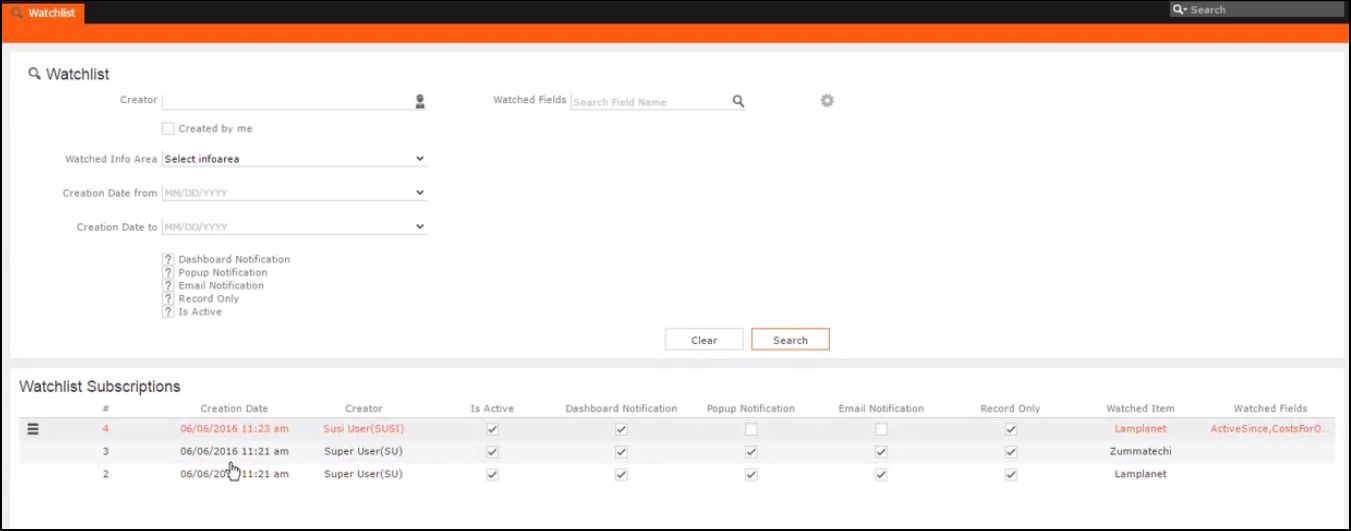
The following screenshot shows the list of watchlist items subscribed by all users:
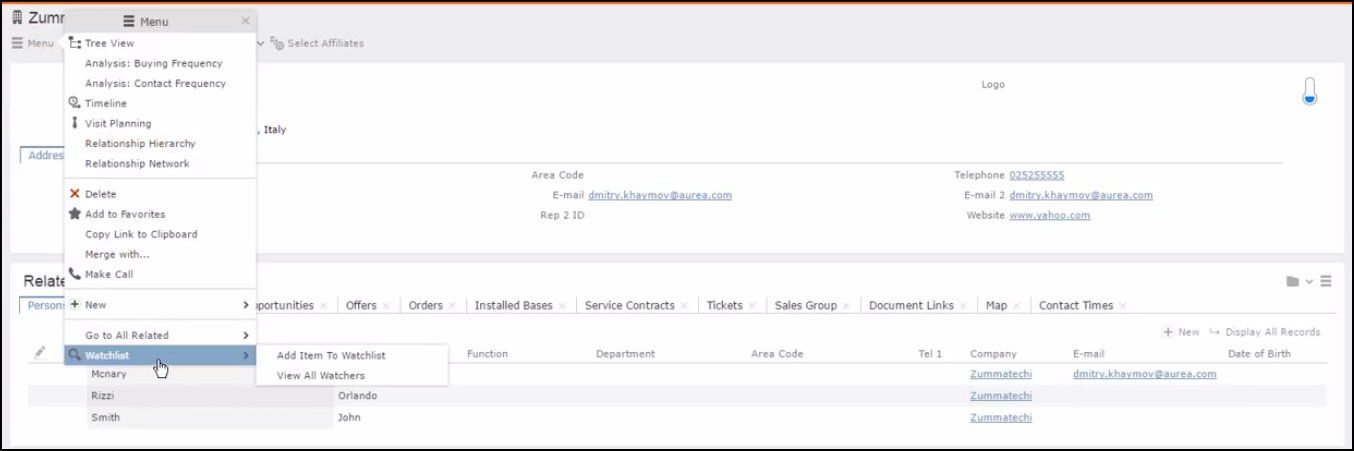
For a given record or infoarea the Watchlist context menu initially allows you to add a watchlist item. For example, the screenshot below shows the Add Item to Watchlist and View all Watchers sub-menu item for the Company infoarea.
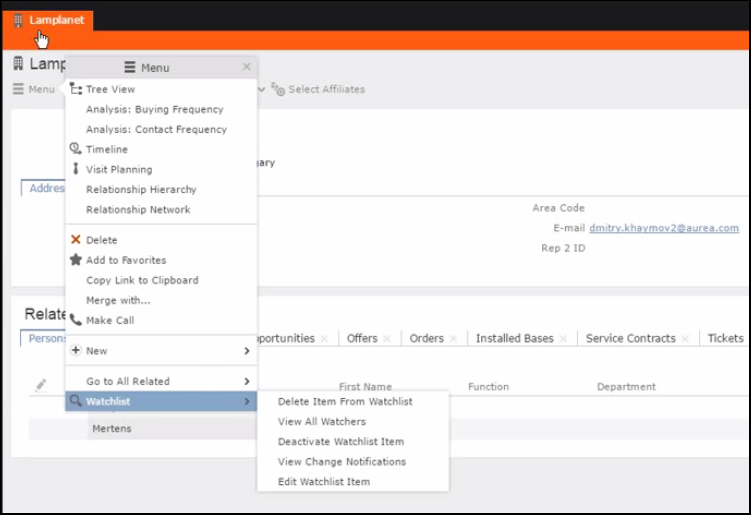
After adding an item to the watchlist the Watchlist context menu allows you to perform the following tasks:
- Delete items from the watchlist.
- View all watchers.
- Deactivate watchlist items.
- View change notifications.
- Edit watchlist item.
- See the screenshot below:
-
A notification is generated when one of the following condition is fulfilled:
- A notification request is set for any change to the record of interest and a change is made to the record.
- A notification request is set for changes made to specific fields of a record and one or more of the specified fields are changed.
The following screenshot shows the change notifications visible on the Dashboard:
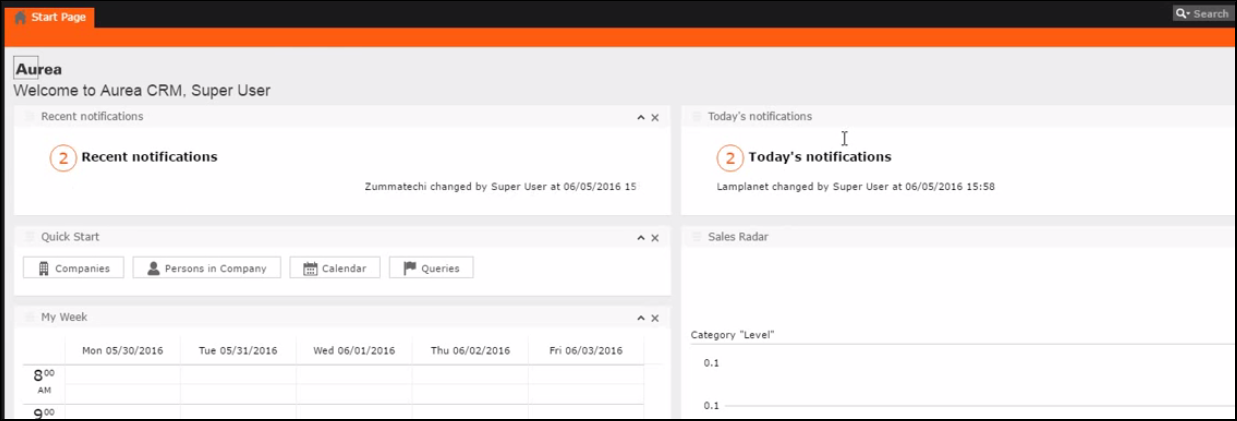
The Recent Notifications widget on the dashboard displays the recent change notifications generated for a certain number of days excluding the notifications generated today. The number of days is set in the web configuration parameter Watchlist.RecentNotifications.PeriodInDays.
The following screenshot shows a popup change notification:
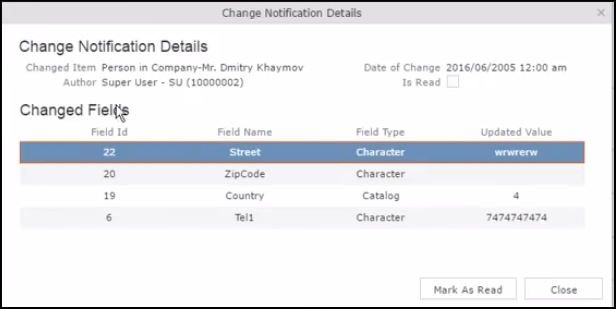
The following screenshot shows a sample email change notification for a company record.
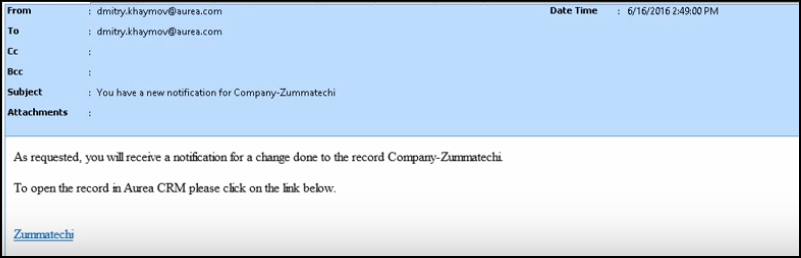
The subject, body, from, and number of retries for an email notification can be configured using the web configuration parameters: EMail.ChangeNotification.Body; EMail.ChangeNotification.From; EMail.ChangeNotification.Subject; EMail.ChangeNotification.MaximumEmailSendAttempts. For more information, see Change Notification Parameters.